
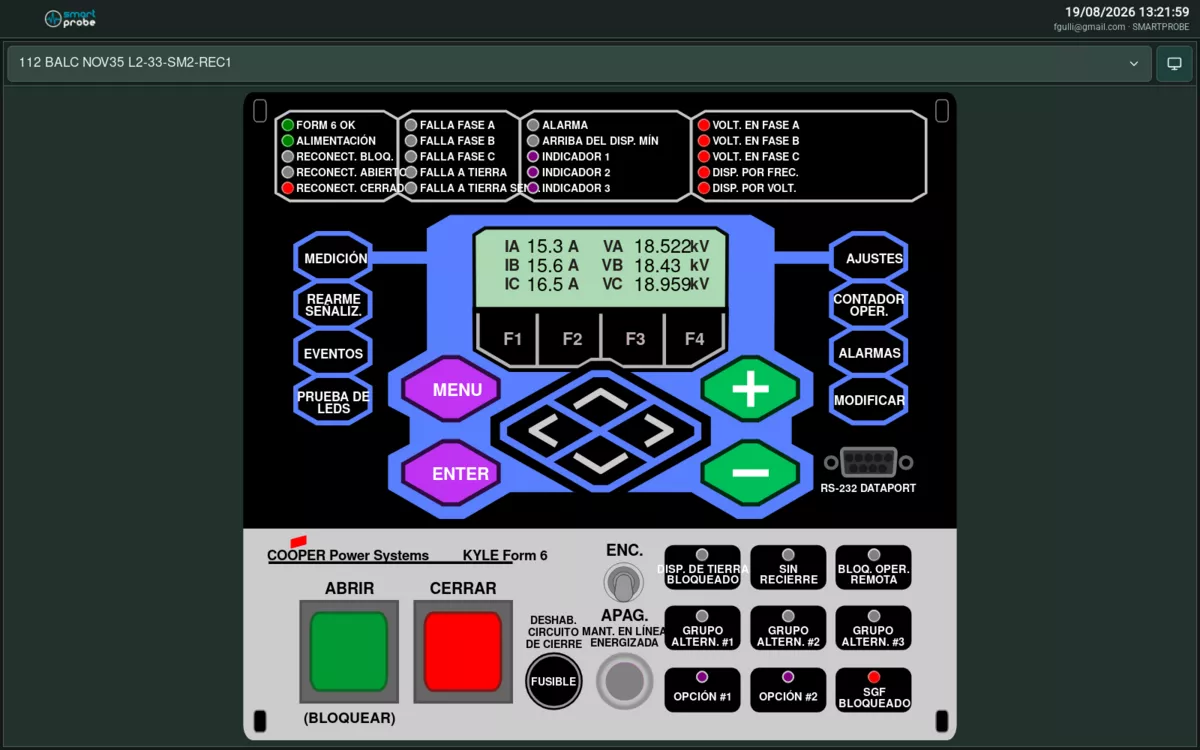
 Command buttons are part of the Display itself.
Operating a device
- Tap the button or symbol for the command you want to run (for example, Open or Close) directly on the Display.
- A blinking confirmation button appears, reading something like “⚠️ Confirm Open”. Tap it to confirm. If you don’t confirm within 5 seconds, or you switch devices in the meantime, the command cancels itself.
- The result arrives within seconds:
- ✅ green — the device confirmed the command.
- Stays red and blinking — the device rejected the command (for example, for a reason of its own, or because commands are disabled for your user).
- No response — the device didn’t answer in time.
If a command shows up disabled instead of the confirmation button, it means it was configured that way for that particular device.
Command result messages (for example, “Command confirmed by…”) are generated by the field device itself and always appear in Spanish, regardless of the language you’ve selected in the interface.