
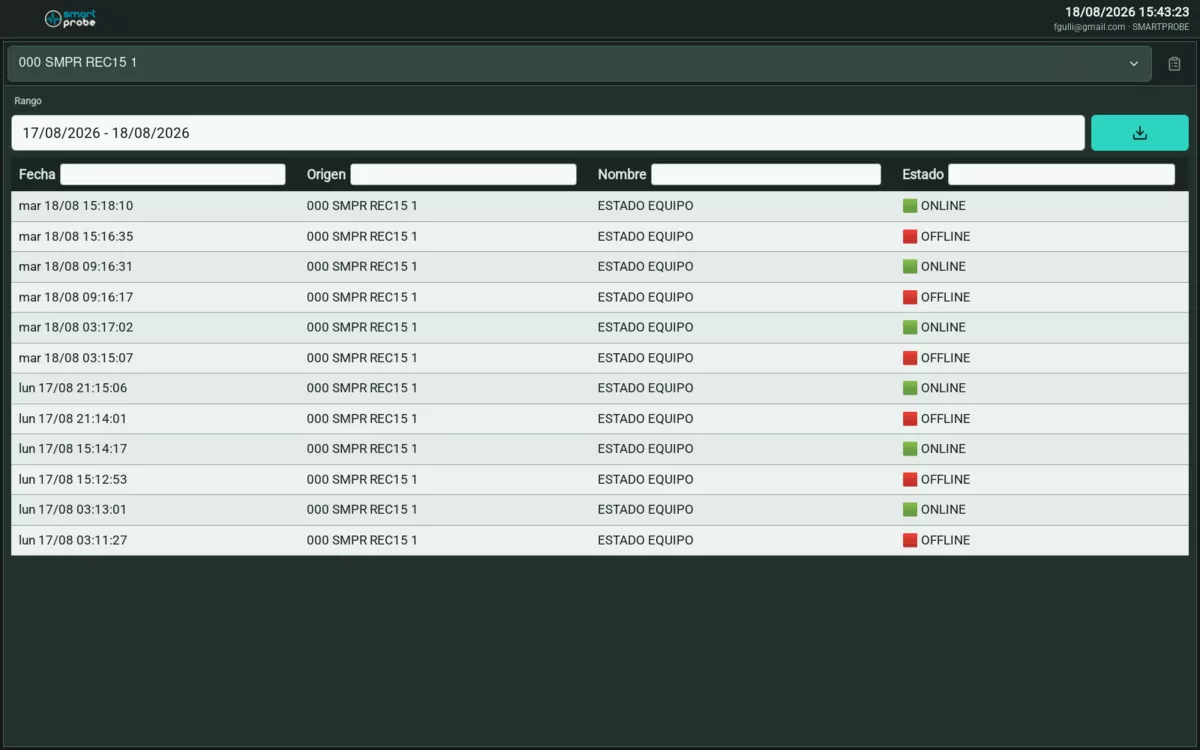
 Event log for a device.
Filtering events
Each column (Date, Source, Name, Status) has its own text field for filtering, and you can combine several terms:
|works as “or”: typingalarma|fallain the Status column shows rows containing ALARMA or FALLA.&works as “and”: typingabierto&línearequires the row to contain both terms at once.
Event and status text comes straight from the field device data, not from the app’s interface language — it’s generally written in Spanish regardless of the language you’ve selected.
Choosing a date range
A button opens a calendar: click the start date and then the end date to mark the range. Until you pick one, the button reads “Select range”.
Exporting to CSV
Look for the download icon (⬇) above the table — it has no label next to it. The file downloads named after the device and the date range you chose.